

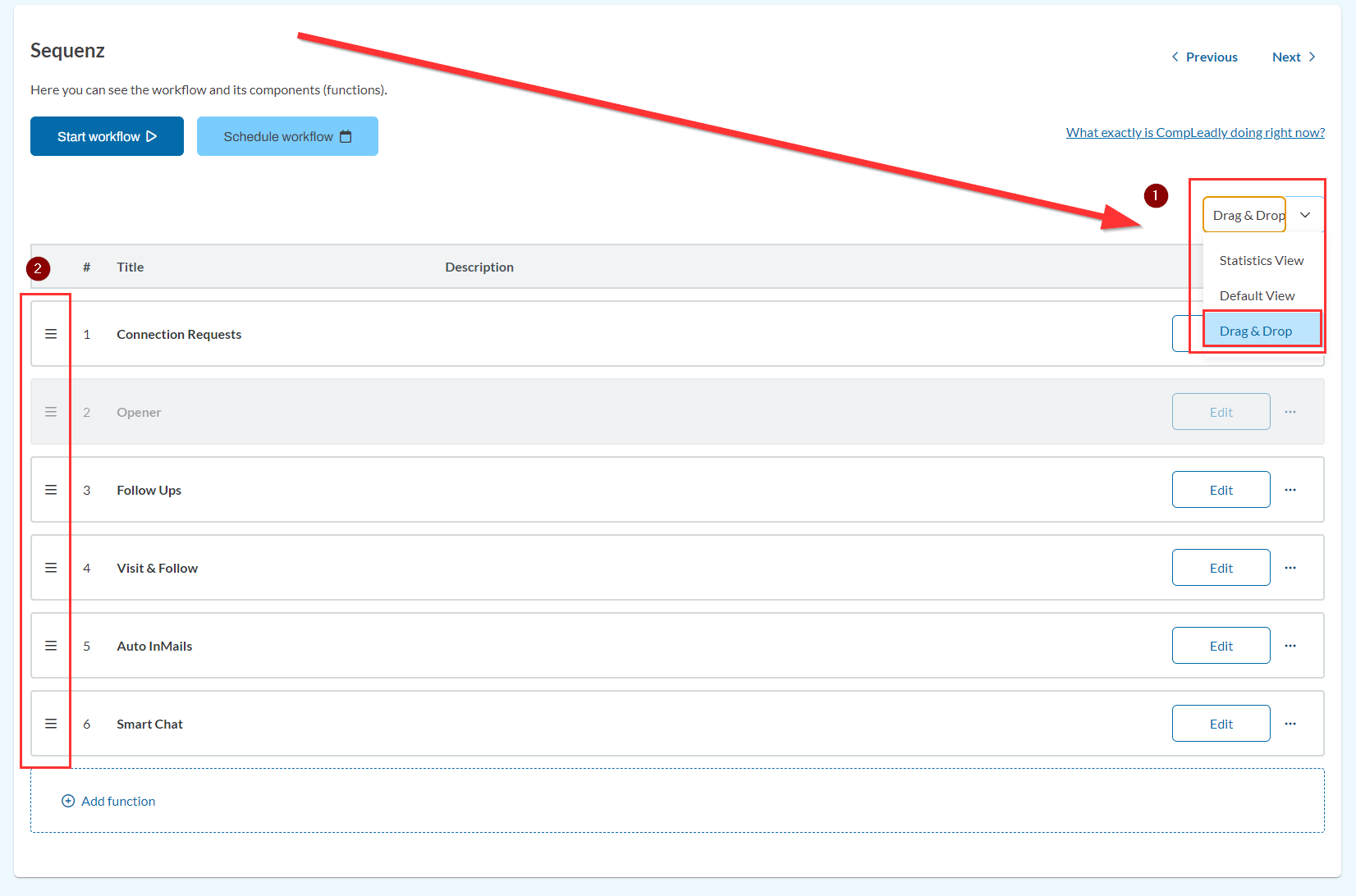
1) Select the drag & drop view
2) The "move icons" appear to the left of the function in the workflow
You can then press and hold the icon for the corresponding function and move it; CompLeadly must be stopped for this.
Author: CompLeadly TeamLast updated on 1 min read
You can then press and hold the icon for the corresponding function and move it; CompLeadly must be stopped for this.
Was this article helpful?
0 found this article helpful
Didn't find your answer? Get in touch
Our support team is happy to help you personally.