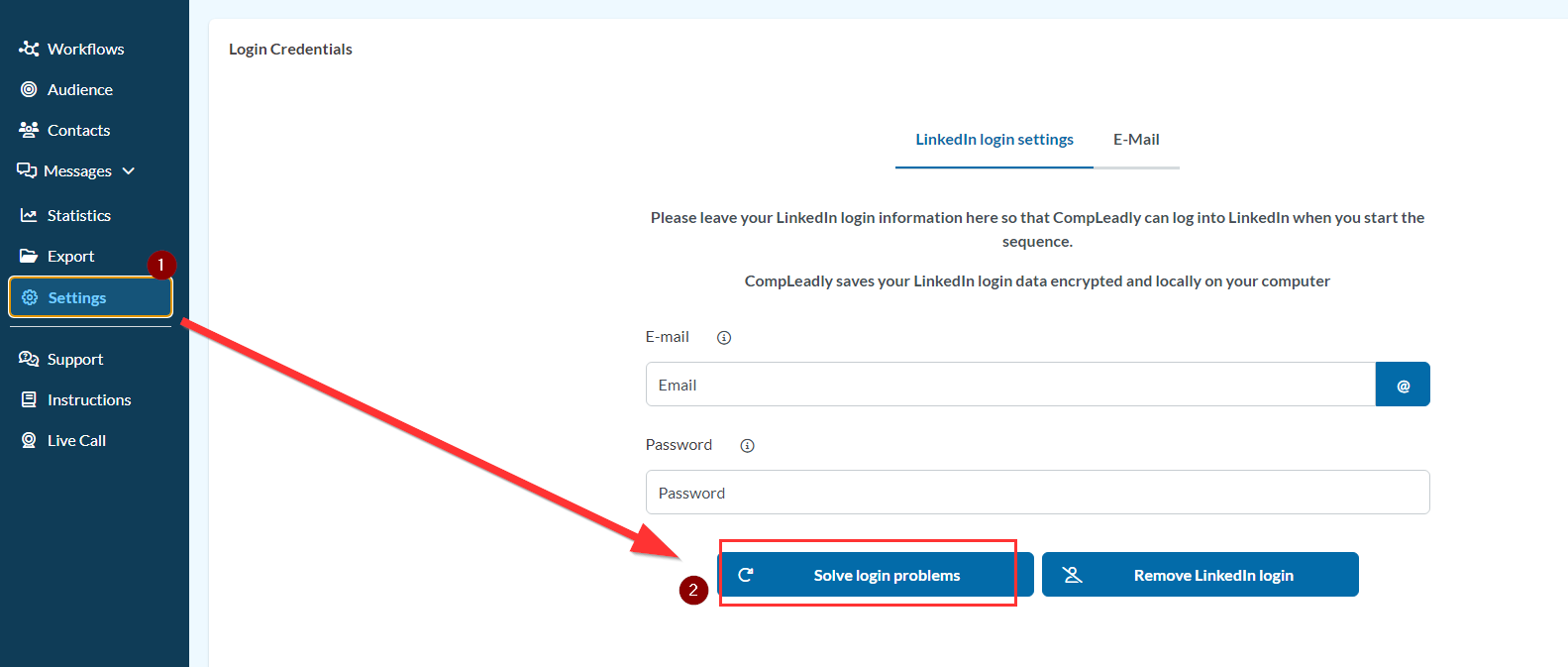
CompLeadly informs us that your login details are incorrect.
- Please restart CompLeadly first
- Please klick "Solve Login Problems".
- The browser will open and should automatically navigate to LinkedIn after 10 seconds.
- Click on Sign-In at the top right corner.
- Enter your LinkedIn login details. If this does not work and CompLeadly still does not log in, please restart your computer.
If the computer has been running for more than 12 hours, it may be that other programs are interfering with CompLeadly, which were not properly closed by the operating system itself. In this case, only restarting the computer will help.