

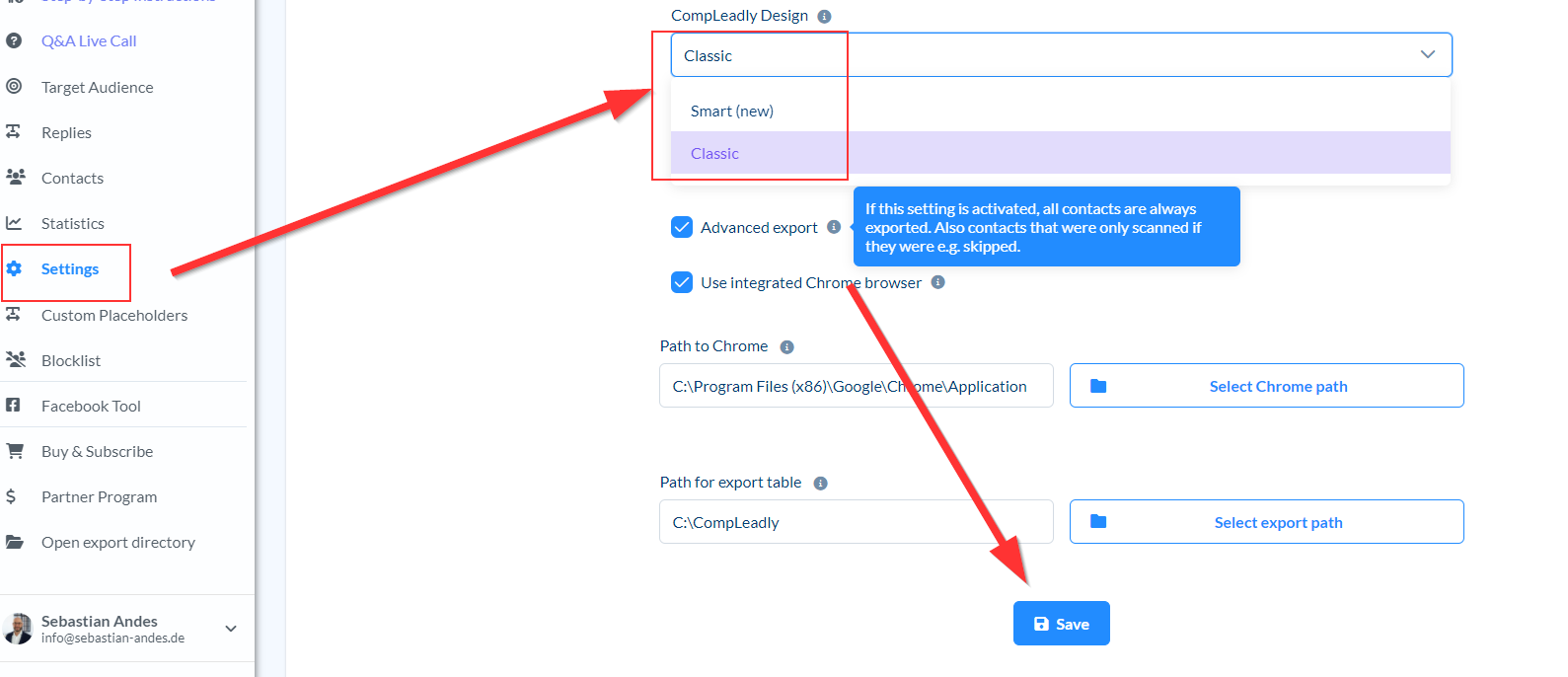
- Change to classic design
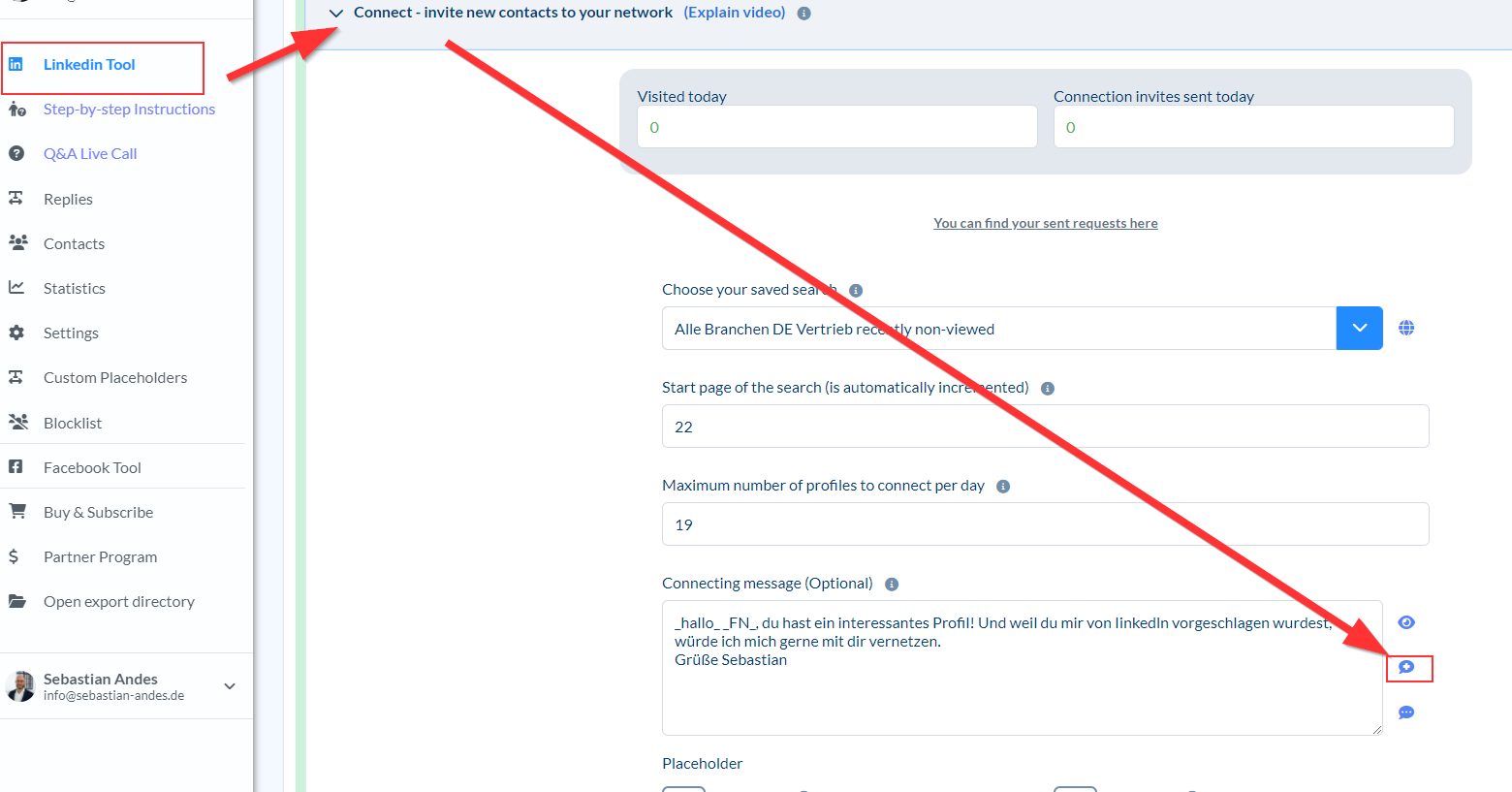
- Go to the function whose text you want to save
- Click the Save button next to the text box.
- Switch to Smart Design
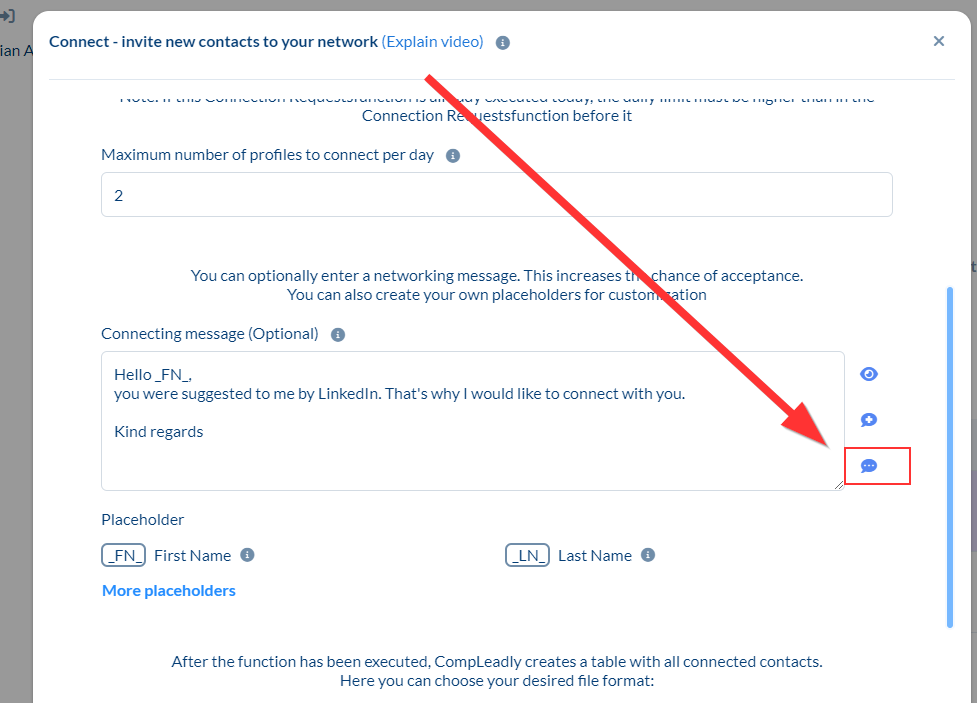
- Open a function
- Next to the text field you will find the "Load message" button. There is your message
Author: CompLeadly TeamLast updated on 1 min read
Was this article helpful?
0 found this article helpful
Didn't find your answer? Get in touch
Our support team is happy to help you personally.