

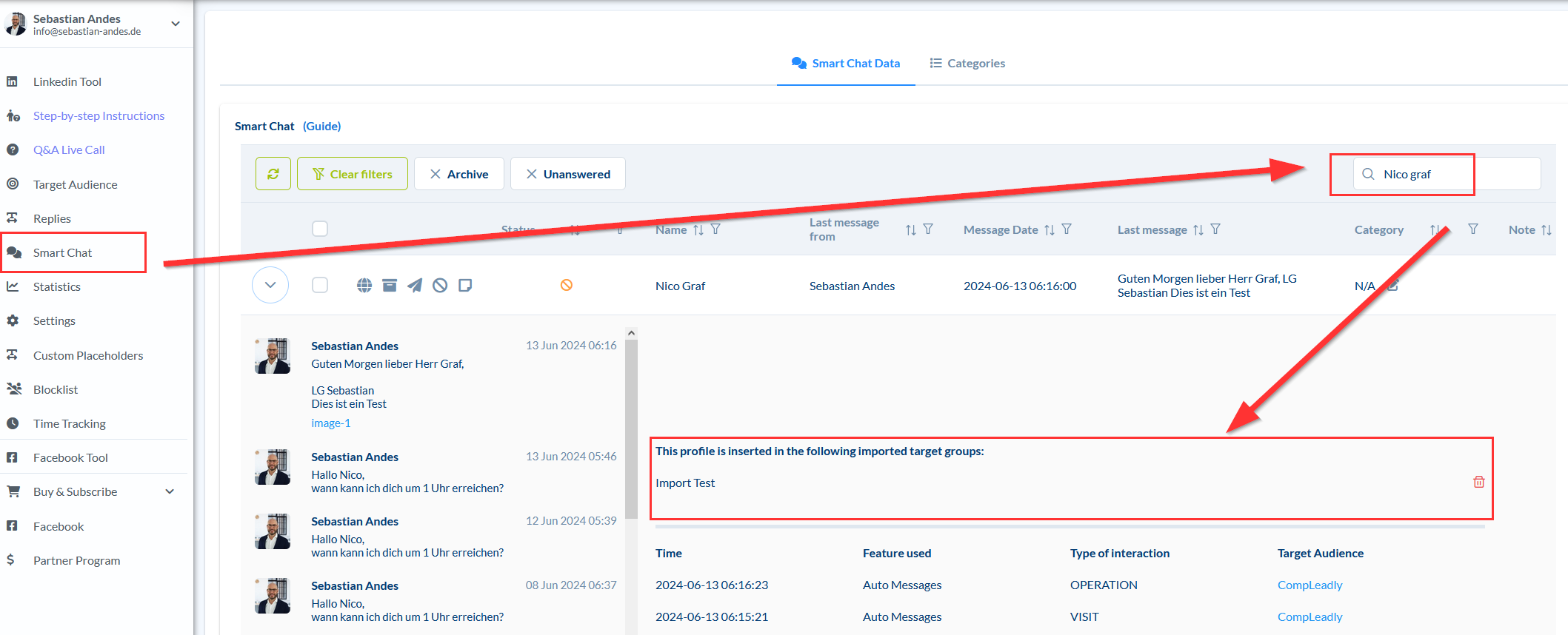
- Click on Contacts, Replies, or Smart Chat
- Search for the person
- Open the dropdown menu with the arrow on the far left in the table view
- Now you see the imported target groups in which the contact is located
Author: CompLeadly TeamLast updated on 1 min read
Was this article helpful?
0 found this article helpful
Didn't find your answer? Get in touch
Our support team is happy to help you personally.