

Go directly to your event.
Click on “Manage event” in the menu on the left.
Then click on “Manage attendees” and in the “Invited” tab you will see all your invited contacts who have not yet accepted.
Author: CompLeadly TeamLast updated on 1 min read
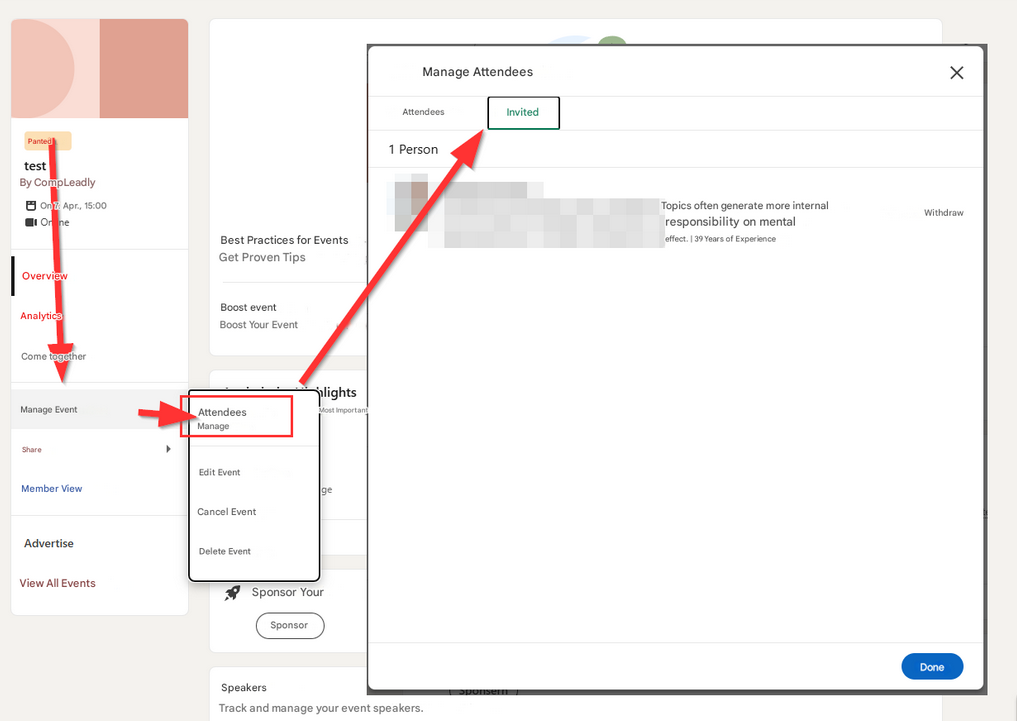
Go directly to your event.
Click on “Manage event” in the menu on the left.
Then click on “Manage attendees” and in the “Invited” tab you will see all your invited contacts who have not yet accepted.
Was this article helpful?
0 found this article helpful
Didn't find your answer? Get in touch
Our support team is happy to help you personally.