Skip to content
CompLeadly
CompLeadly

CompLeadly Settings

Chrome could not be found in the specified path “….”. Please check your path to Chrome in the settings.

Author: CompLeadly TeamLast updated on 1 min read


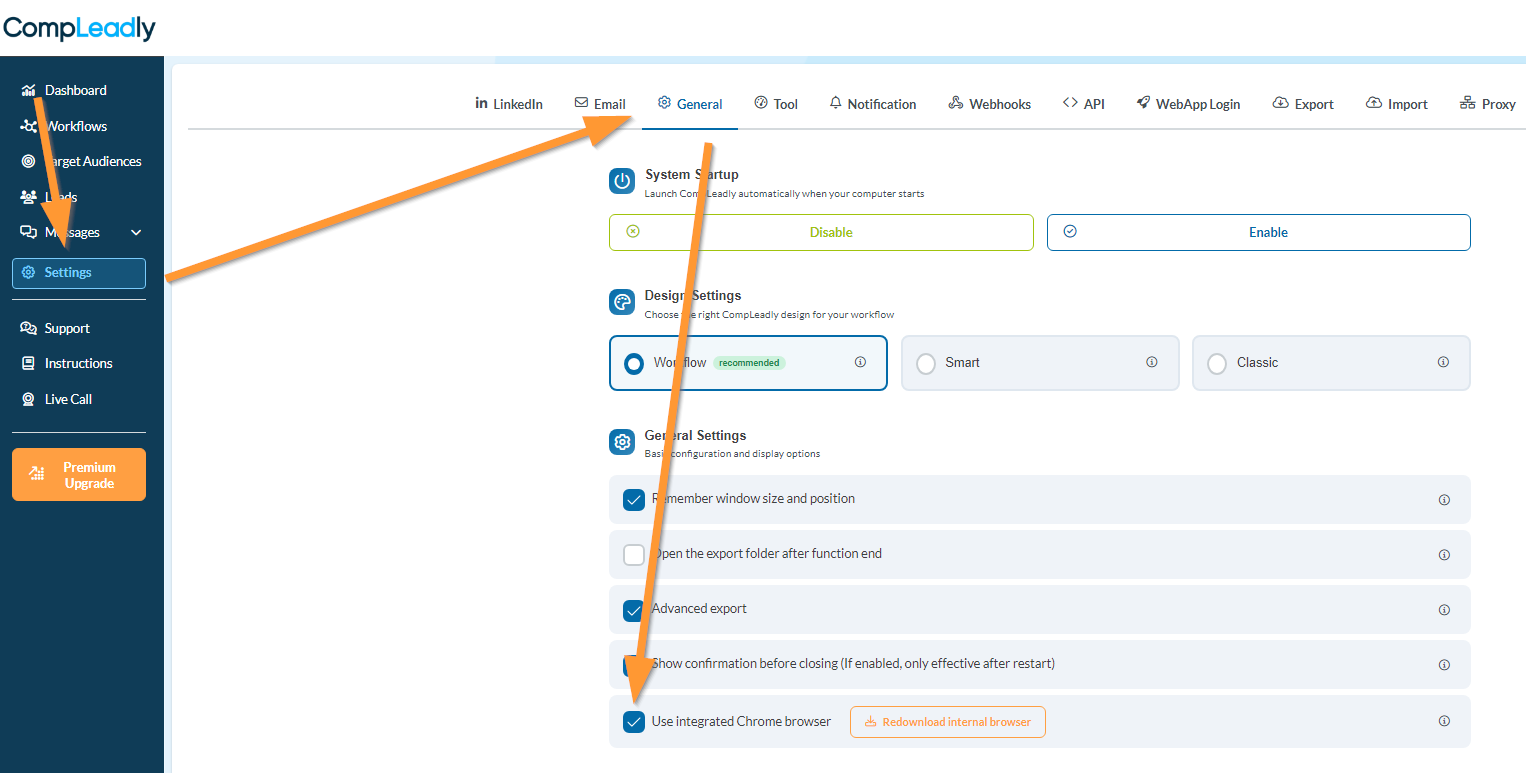
  1. Go to settings in the menu left
  2. Turn on the integrated Chrome browser


Chrome could not be found in the specified path “….”. Please check your path to Chrome in the settings.

Was this article helpful?

0 found this article helpful

Didn't find your answer? Get in touch

Didn't find your answer?

Our support team is happy to help you personally.

Get in touch