

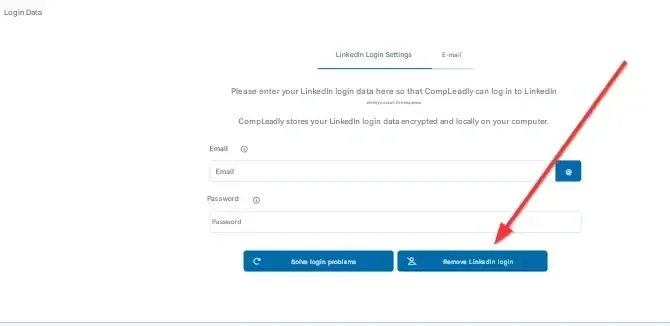
You can only re-enter the password after clicking “Remove LinkedIn login” first. This will delete the stored credentials and unlock the input fields again.
After that, you can enter new login data.
Author: CompLeadly TeamLast updated on 1 min read
You can only re-enter the password after clicking “Remove LinkedIn login” first. This will delete the stored credentials and unlock the input fields again.
After that, you can enter new login data.
Was this article helpful?
0 found this article helpful
Didn't find your answer? Get in touch
Our support team is happy to help you personally.